Introduction to `romeo`
Hugo Gruson
EMBL Heidelberghugo.gruson@embl.de
Artür Manukyan
MDC-BIMSBartur-man@hotmail.com
14 June 2026
Source:vignettes/romeo.rmd
romeo.rmdIntroduction
romeo
romeo is a minimal R package that provides tools to read, validate, and write multiscale images and labels (regions, segmentation masks, etc.) stored as OME-Zarr files.
The package uses the Rarr package to manipulate images stored as Zarr datasets and OME-Zarr metadata while the ZarrArray package is used to lazily read larger-than-memory images.
romeo
realizes these Zarr-backed images (or labels) as objects of an
ome_zarr class where a number of methods are available to
manipulate these images as traditional arrays. These are, for example,
subsetting or slicing the images using the [ operator which
is applied to all levels of the multiscale OME-Zarr object (i.e. image
pyramids).
What is OME-Zarr?
OME-Zarr is a cloud-friendly data format for storing large bioimaging datasets, such as microscopy images. It combines:
- (i) Zarr, a chunked, compressed array storage format (https://zarr.dev/) designed for scalable access to multidimensional data and
- (ii) OME Next-Generation File Formats, or OME-NGFF (https://ngff.openmicroscopy.org/), that defines standardized structures and metadata conventions for multiscale labels, segmentations, and coordinate transformations of bioimaging datasets.
In essence, an OME-Zarr file is a collection of data arrays with XYZCT dimensions (X, Y, and Z for space, C for channels and T for time) representing an image pyramid, combined with metadata (which lives in the attributes property of Zarr arrays) that describes the properties of these arrays, such as scales, annotations and coordinate spaces (Figure 1).
There exists multiple OME-Zarr formats each having its own OME-NGFF specifications (Versions 0.3, 0.4, 0.5 etc.) and Zarr formats (Versions 2 or 3). Currently, romeo provides utilities for manipulating OME-Zarr datasets using NGFF versions 0.4 and 0.5. The current released version of the OME-Zarr specification is 0.5. See https://ngff.openmicroscopy.org/specifications for more information.
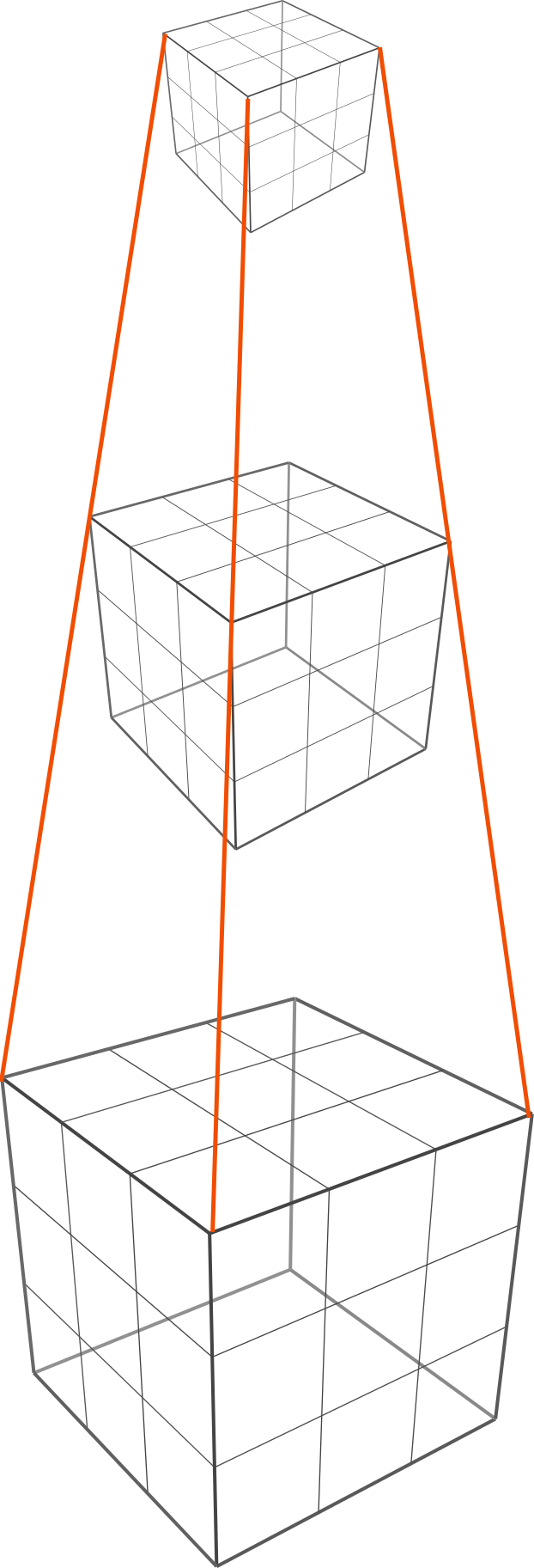
{
  "multiscales": [
    {
      "version": "0.4",
      "name": "example",
      "axes": [
        {"name": "t", "type": "time", "unit": "millisecond"},
        {"name": "c", "type": "channel"},
        {"name": "z", "type": "space", "unit": "micrometer"},
        {"name": "y", "type": "space", "unit": "micrometer"},
        {"name": "x", "type": "space", "unit": "micrometer"}
      ],
      "datasets": [
        {
          "path": "0",
          "coordinateTransformations": [{
            // the voxel size for the first scale level (0.5 micrometer)
            "type": "scale",
            "scale": [1.0, 1.0, 0.5, 0.5, 0.5]
          }]
        },
        {
          "path": "1",
          "coordinateTransformations": [{
            // the voxel size for the second scale level (downscaled by a factor of 2 on x, y and z dimensions)
            "type": "scale",
            "scale": [1.0, 1.0, 1.0, 1.0, 1.0]
          }]
        },
        {
          "path": "2",
          "coordinateTransformations": [{
            // the voxel size for the third scale level (downscaled by a factor of 4 on x, y and z dimensions)
            "type": "scale",
            "scale": [1.0, 1.0, 2.0, 2.0, 2.0]
          }]
        }
      ],
      "coordinateTransformations": [{
        // the time unit (0.1 milliseconds), which is the same for each scale
        "type": "scale",
        "scale": [0.1, 1.0, 1.0, 1.0, 1.0]
      }],
      ...
Installation
You can install the development version of romeo like so:
install.packages("pak")
pak::pak("Huber-group-EMBL/romeo")
Reading OME-Zarr files
Images
This is a basic example which shows you how to read an OME-Zarr
image. By default, data are read lazily using ZarrArray.
Here, ome_read function first validates if the attributes
of the OME-Zarr image comply with the OME-NGFF specifications (of
Version 0.4 in this example), and if valid, move to reading as a
multi-scale ome_zarr object.
library(romeo)
library(utils)
omezarrzip <- system.file("extdata", "test_ngff_image_v04.ome.zarr.zip", package = "romeo")
td <- withr::local_tempfile(fileext = ".ome.zarr")
dir.create(td)
unzip(omezarrzip, exdir = td)

x <- ome_read(td)
plot(x, 1)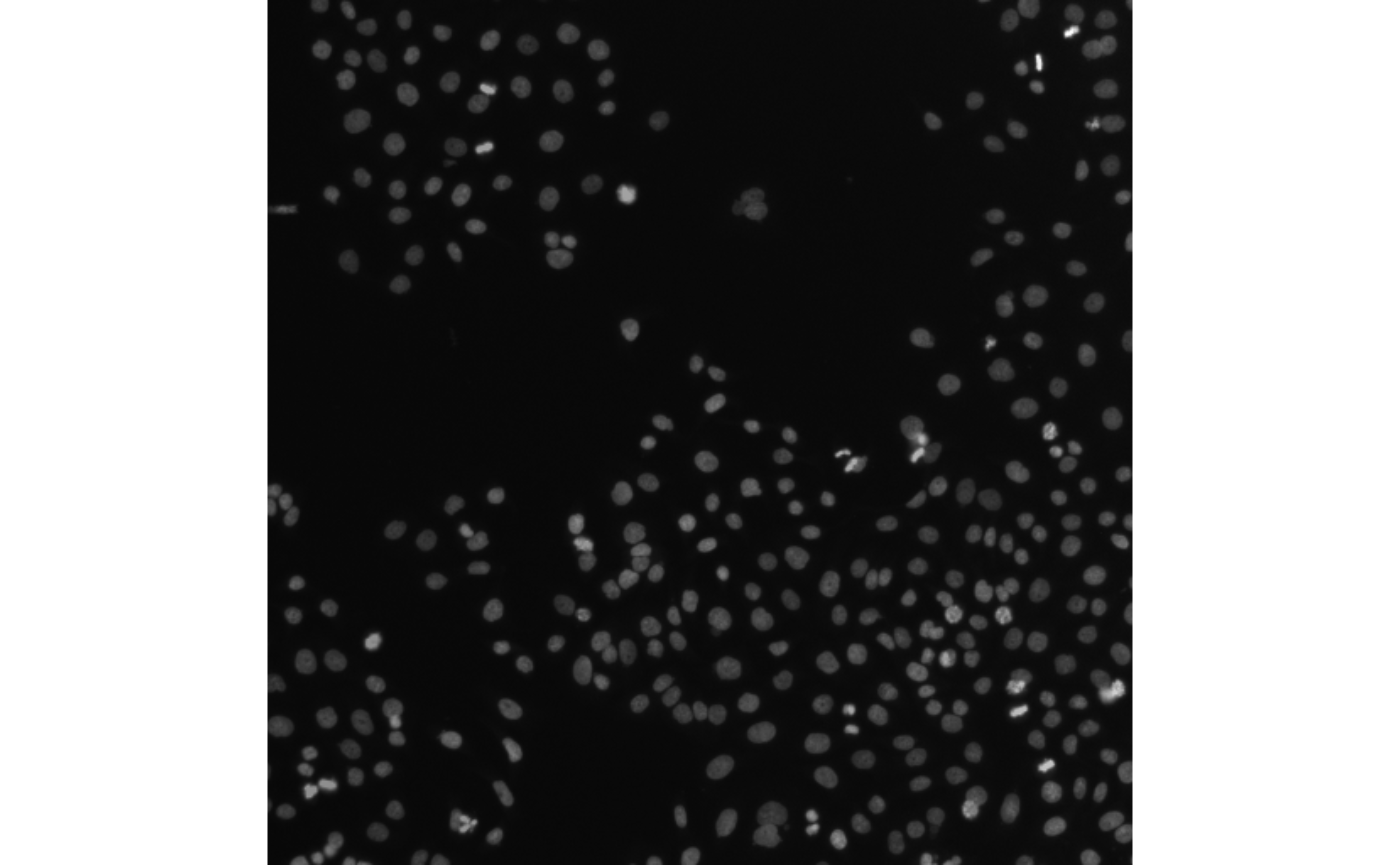
We can extract each layer of the image pyramid using [[
method. Each layer of the image pyramid is a ZarrArray
object.
y <- x[[1]]
is(y)
## [1] "ZarrMatrix" "ZarrArray" "DelayedMatrix"
## [4] "DelayedArray" "DelayedUnaryIsoOp" "DelayedUnaryOp"
## [7] "DelayedOp" "Array" "RectangularData"Alternatively, the data can be read into memory as below using the
lazy argument:
## [1] "matrix"                              "array"
## [3] "structure"                           "matrix_OR_array_OR_table_OR_numeric"
## [5] "vector"                              "vector_OR_factor"
## [7] "vector_OR_Vector"
Labels
Labels of an image (or image pyramid) are pixel-level annotations that are used to annotate regions within the image (pathology annotations, segmentation masks etc.) where each pixel stores an integer value corresponding of each label.
Labels of OME-Zarr images are often found nested within the zarr
group of the image, at the same level of the Zarr hierarchy as the
resolution levels for the original image. Each label has its own group
under the labels group.
omezarrzip <- system.file("extdata", "test_ngff_image_v04.ome.zarr.zip", package = "romeo")
td <- withr::local_tempfile(fileext = ".ome.zarr")
dir.create(td)
unzip(omezarrzip, exdir = td)
list.files(td)
## [1] "labels" "s0" "s1" "s2" "s3" "s4"
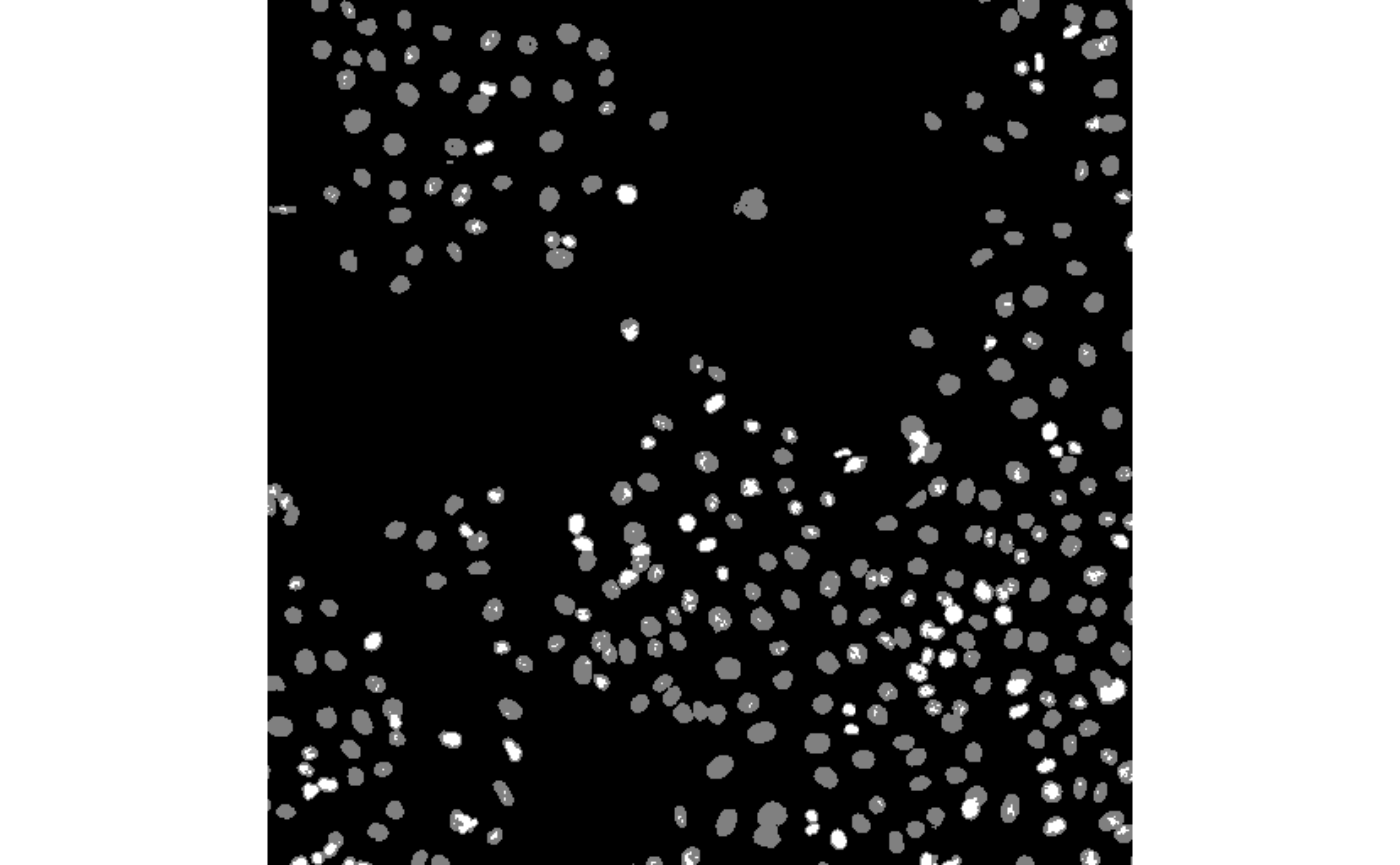
list.files(file.path(td, "labels"))## [1] "blobs"Once located the path of the label pyramid within the OME-Zarr file,
we can use romeo again
to read these labels as ome_zarr objects.
Reading from S3 storage
For remote OME-Zarr files, you can use the
paws.storage::s3 client to read the data directly from the
S3 bucket without downloading it first:
library(paws)

s3_client <- paws.storage::s3(
  config = list(
    credentials = list(anonymous = TRUE),
    region = "auto",
    endpoint = "https://uk1s3.embassy.ebi.ac.uk"
  )
)
x <- ome_read(
  "https://uk1s3.embassy.ebi.ac.uk/idr/zarr/v0.4/idr0076A/10501752.zarr",
  s3_client = s3_client,
)
Slicing (or subsetting) of images are performed using the
[ operator where indices correspond to each available XYZCT
dimensions.
attr(x, "dim_names")## [1] "c" "y" "x"
plot(x[1:2, 1:50, 1:50])## Only the first frame of the image stack is displayed.
## To display all frames use 'all = TRUE'.
Writing OME-Zarr files
Images
romeo provides extensive utilities for writing OME-Zarr images compatible with multiple OME-NGFF specifications.
Here, ome_write function accepts objects of
Image class (from EBImage
package) as input.
##
## Attaching package: 'EBImage'
## The following object is masked from 'package:paws':
##
## translate
img_file <- system.file("extdata", "example_RGB.png", package = "romeo")
img <- readImage(img_file)
img
## Image
## colorMode : Color
## storage.mode : double
## dim : 480 320 3
## frames.total : 3
## frames.render: 1
##
## imageData(object)[1:5,1:6,1]
## [,1] [,2] [,3] [,4] [,5] [,6]
## [1,] 0.4196078 0.4196078 0.4235294 0.4235294 0.4235294 0.4235294
## [2,] 0.4196078 0.4196078 0.4235294 0.4235294 0.4235294 0.4235294
## [3,] 0.4196078 0.4196078 0.4235294 0.4235294 0.4235294 0.4235294
## [4,] 0.4196078 0.4196078 0.4235294 0.4235294 0.4235294 0.4235294
## [5,] 0.4235294 0.4235294 0.4274510 0.4274510 0.4274510 0.4274510Currently, romeo
supports the two most recent OME-NGFF specs, Versions 0.4 and 0.5,
corresponding to Zarr formats v2 and v3, respectively. When writing the
pyramid, we define the version, e.g. 0.4,
and also the image axes, e.g. c("x", "y", "c"), whose order
and length should match the Image object.
ome_img <- ome_write(img,
                     path = tempfile(fileext = ".ome.zarr"),
                     axes = c("x", "y", "c"),
                     version = "0.4",
                     storage_options = list(chunk_dim = c(64, 64, 1)))
plot(ome_img, 1)
## Only the first frame of the image stack is displayed.
## To display all frames use 'all = TRUE'.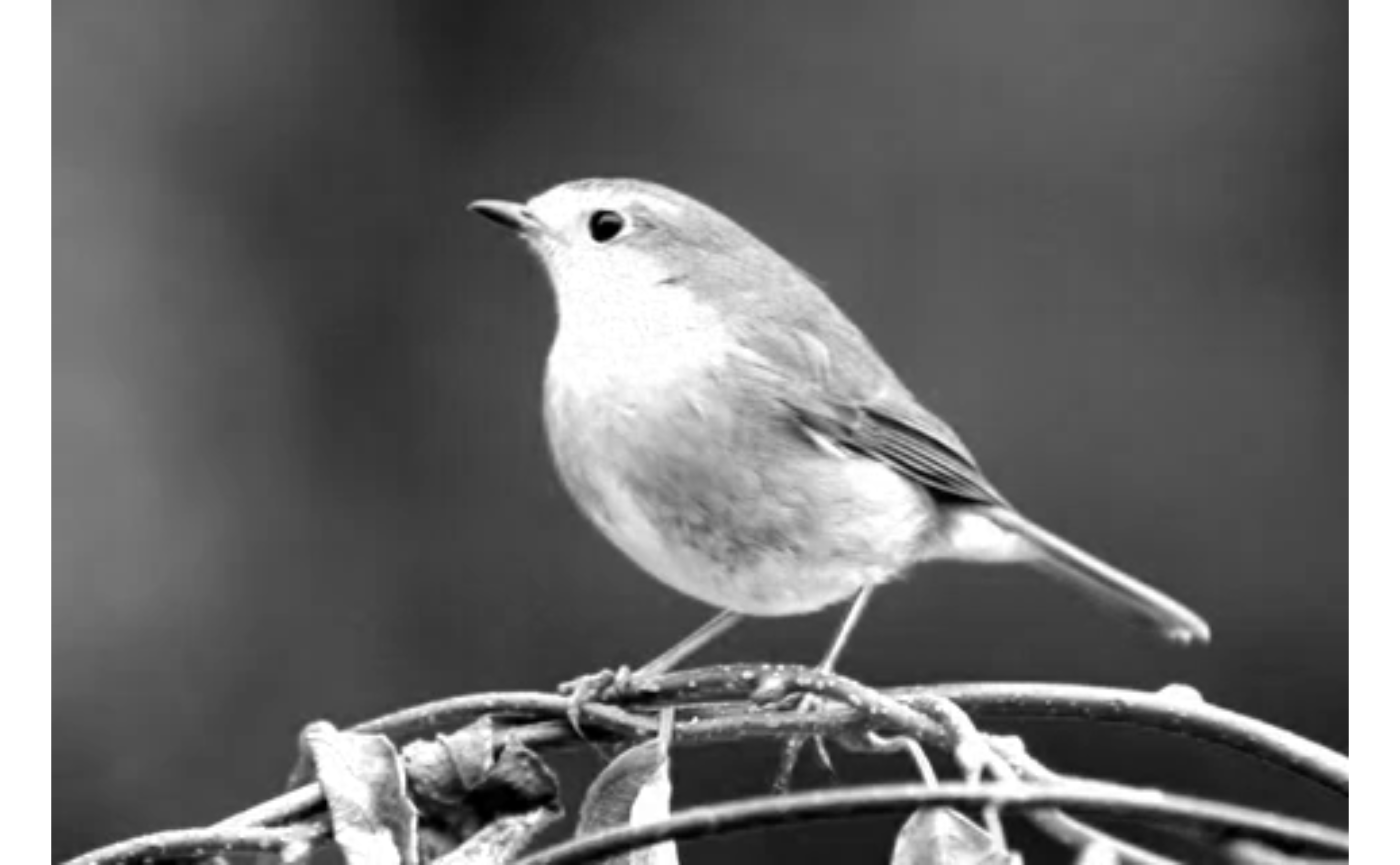
Users can also define their own scaling factors to write image
pyramids. For a scalefactors vector with length three, the
resulting pyramid will contain four scales. Each scale factor in the
vector defines the scale factor of the layer relative to the previous
layer.
Labels
OME-Zarr label pyramids can be generated in the same way. We first create our own label data using EBImage.
# read the first frame of the Image object
nuc <- readImage(system.file("images", "nuclei.tif", package = "EBImage"))
nuc <- getFrames(nuc)[[1]]

# threshold using otsu's method
nuc_th <- nuc > otsu(nuc)
nuc_th
## Image
## colorMode : Grayscale
## storage.mode : logical
## dim : 510 510
## frames.total : 1
## frames.render: 1
##
## imageData(object)[1:5,1:6]
## [,1] [,2] [,3] [,4] [,5] [,6]
## [1,] FALSE FALSE FALSE FALSE FALSE FALSE
## [2,] FALSE FALSE FALSE FALSE FALSE FALSE
## [3,] FALSE FALSE FALSE FALSE FALSE FALSE
## [4,] FALSE FALSE FALSE FALSE FALSE FALSE
## [5,] FALSE FALSE FALSE FALSE FALSE FALSEWe can now write the label pyramid. The arguments are similar to
those used for writing image pyramids, but when
type = "label" is specified, OME-NGFF
label specifications is used to write the Zarr attributes.
ome_nuc_th <- ome_write(nuc_th,
                        path = tempfile(fileext = ".ome.zarr"),
                        version = "0.4",
                        scalefactors = c(2, 2, 3),
                        storage_options = list(chunk_dim = c(64, 64)),
                        type = "label")
plot(ome_nuc_th, 3)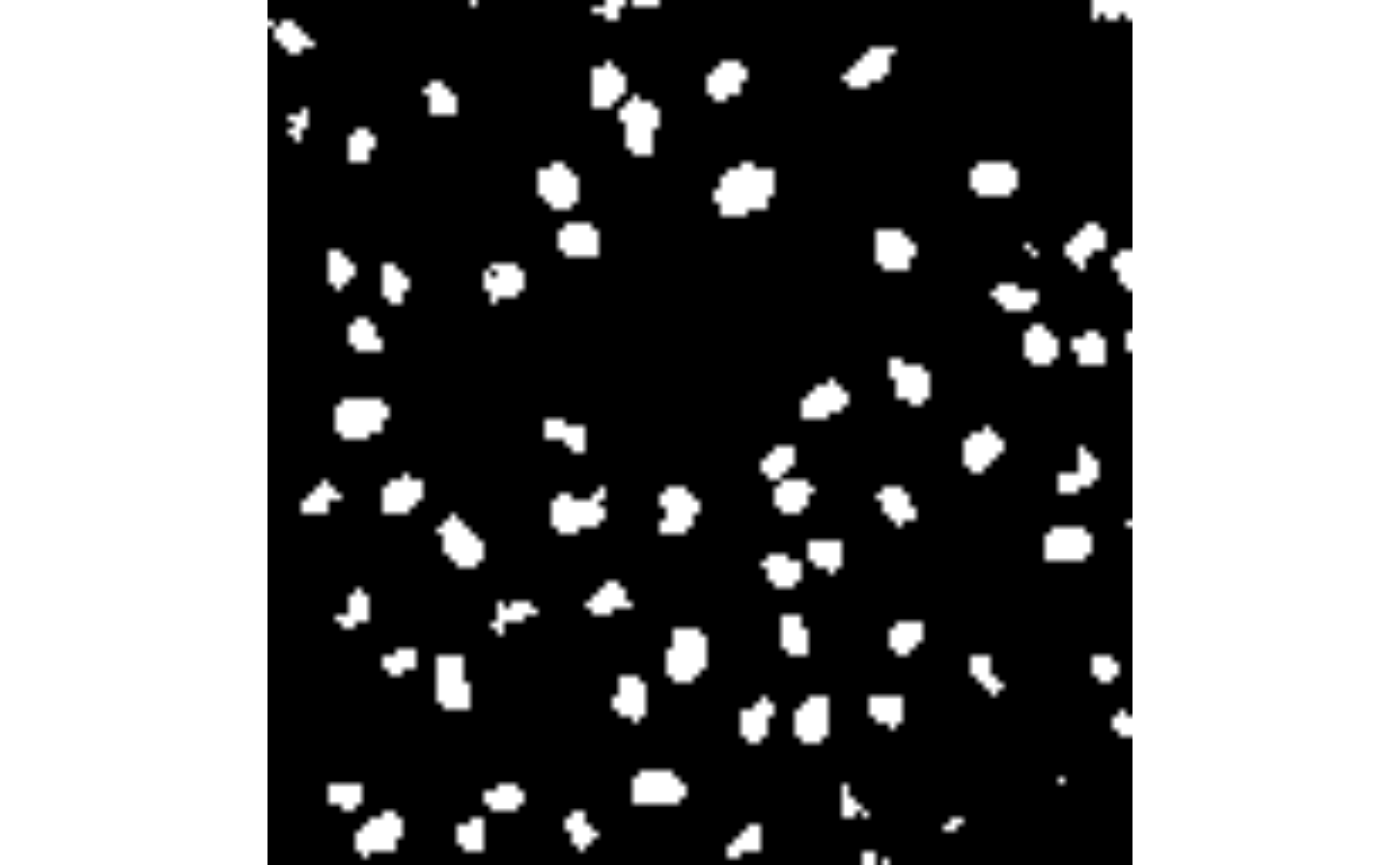
If the path already includes an image pyramid, then we should define
a name (e.g. blobs) for the label pyramid associated with
the image.
td <- tempfile(fileext = ".ome.zarr")

ome_nuc <- ome_write(nuc,
                     path = td,
                     version = "0.4",
                     storage_options = list(chunk_dim = c(64, 64)))

ome_nuc_th <- ome_write(nuc_th,
                        path = td,
                        version = "0.4",
                        scalefactors = c(2, 2, 3),
                        storage_options = list(chunk_dim = c(64, 64)),
                        type = "label",
                        label_name = "blobs")
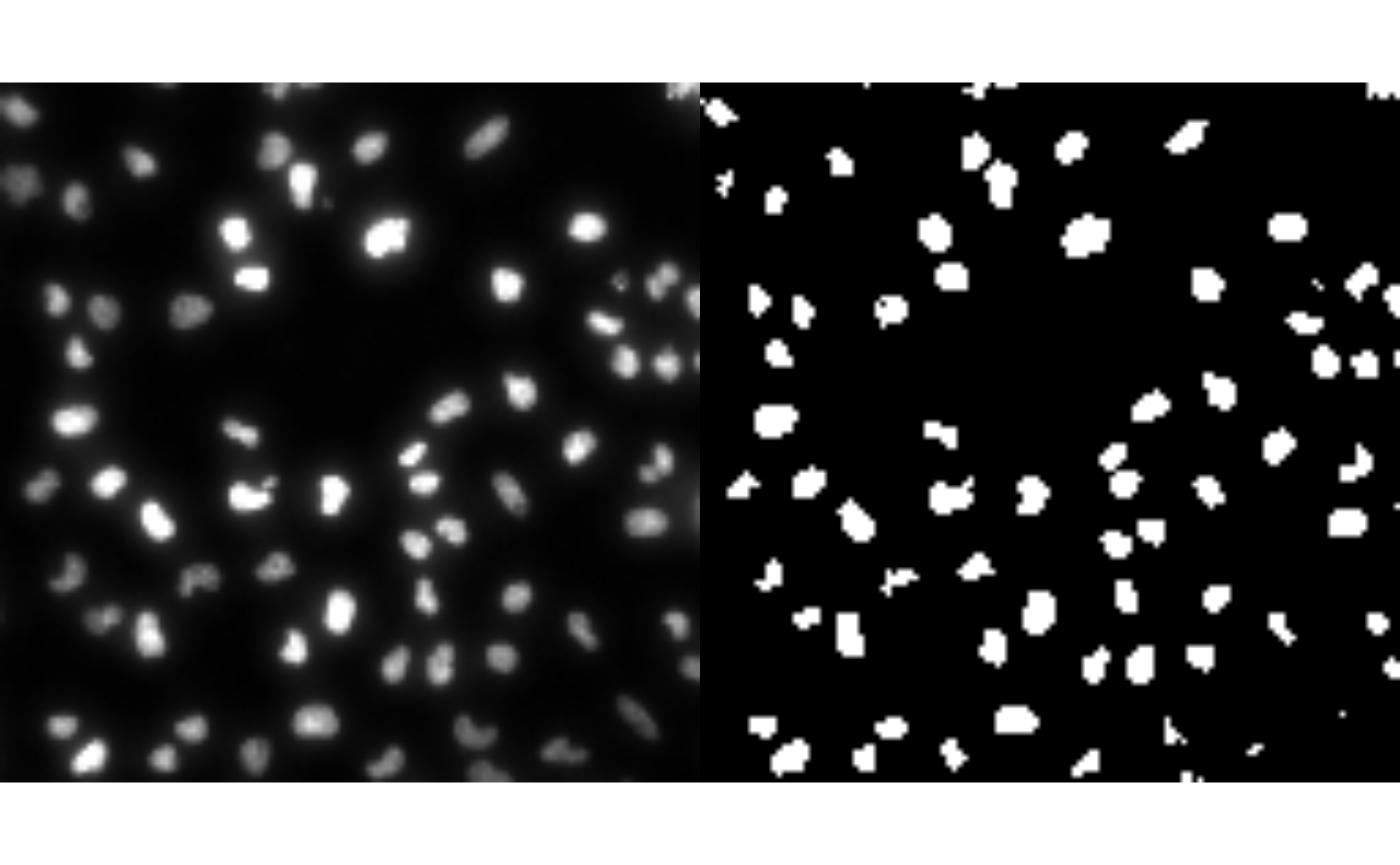
## An image pyramid was found at '/tmp/RtmpDs6wlM/file1bf068d8b34b.ome.zarr', writing labels to 'labels/blobs'We can now visualize both the image and its corresponding labels side by side.
Additional metadata information about labels can also be provided
using the label_metadata argument, e.g. colors, properties
etc. See OME-NGFF
image-label specifications for more information.
ome_nuc_th <- ome_write(nuc_th,
                        path = tempfile(fileext = ".ome.zarr"),
                        version = "0.4",
                        scalefactors = c(2, 2, 3),
                        storage_options = list(chunk_dim = c(64, 64)),
                        type = "label",
                        label_name = "blobs",
                        label_metadata = list(
                          colors = list(
                            list(`label-value` = 1, rgba = list(255, 255, 255, 255)),
                            list(`label-value` = 2, rgba = list(0, 255, 255, 128))
                          ),
                          properties = list(
                            list(`label-value` = 1, class = "A"),
                            list(`label-value` = 2, class = "B")
                          )
                        ))
Appendix
Session info
## R Under development (unstable) (2026-06-12 r90141)
## Platform: x86_64-pc-linux-gnu
## Running under: Ubuntu 24.04.4 LTS
##
## Matrix products: default
## BLAS:   /usr/lib/x86_64-linux-gnu/openblas-pthread/libblas.so.3
## LAPACK: /usr/lib/x86_64-linux-gnu/openblas-pthread/libopenblasp-r0.3.26.so;  LAPACK version 3.12.0
##
## locale:
##  [1] LC_CTYPE=C.UTF-8       LC_NUMERIC=C           LC_TIME=C.UTF-8
##  [4] LC_COLLATE=C.UTF-8     LC_MONETARY=C.UTF-8    LC_MESSAGES=C.UTF-8
##  [7] LC_PAPER=C.UTF-8       LC_NAME=C              LC_ADDRESS=C
## [10] LC_TELEPHONE=C         LC_MEASUREMENT=C.UTF-8 LC_IDENTIFICATION=C
##
## time zone: UTC
## tzcode source: system (glibc)
##
## attached base packages:
## [1] stats     graphics  grDevices utils     datasets  methods   base
##
## other attached packages:
## [1] EBImage_4.55.0   paws_0.10.0      romeo_0.99.1     BiocStyle_2.41.0
##
## loaded via a namespace (and not attached):
##  [1] xfun_0.58             bslib_0.11.0          httr2_1.2.2
##  [4] htmlwidgets_1.6.4     lattice_0.22-9        tools_4.7.0
##  [7] bitops_1.0-9          generics_0.1.4        stats4_4.7.0
## [10] curl_7.1.0            paws.common_0.8.9     R.oo_1.27.1
## [13] Matrix_1.7-5          desc_1.4.3            S4Vectors_0.50.1
## [16] lifecycle_1.0.5       compiler_4.7.0        textshaping_1.0.5
## [19] tiff_0.1-12           htmltools_0.5.9       sass_0.4.10
## [22] RCurl_1.98-1.19       yaml_2.3.12           pkgdown_2.2.0
## [25] crayon_1.5.3          jquerylib_0.1.4       R.utils_2.13.0
## [28] cachem_1.1.0          DelayedArray_0.38.2   jsonvalidate_1.5.0
## [31] abind_1.4-8           locfit_1.5-9.12       digest_0.6.39
## [34] paws.storage_0.10.0   bookdown_0.46         fastmap_1.2.0
## [37] grid_4.7.0            cli_3.6.6             SparseArray_1.13.2
## [40] Rarr_2.0.1            magrittr_2.0.5        S4Arrays_1.13.0
## [43] withr_3.0.2           rappdirs_0.3.4        rmarkdown_2.31
## [46] XVector_0.53.0        matrixStats_1.5.0     fftwtools_0.9-11
## [49] jpeg_0.1-11           otel_0.2.0            ragg_1.5.2
## [52] png_0.1-9             R.methodsS3_1.8.2     evaluate_1.0.5
## [55] knitr_1.51            IRanges_2.46.0        V8_8.2.0
## [58] rlang_1.2.0           Rcpp_1.1.1-1.1        glue_1.8.1
## [61] ZarrArray_1.1.0       BiocManager_1.30.27   xml2_1.5.2
## [64] BiocGenerics_0.58.1   jsonlite_2.0.0        R6_2.6.1
## [67] MatrixGenerics_1.25.0 systemfonts_1.3.2     fs_2.1.0